How to save recipes from Instagram, TikTok, YouTube and Pinterest
You saw the recipe, saved the post and meant to cook it. Here is where each platform keeps the written recipe, and how to get it into one place so you can cook it again.

On this page
The short answer
Look for the written recipe, not the video. On Instagram and TikTok it is usually in the caption. On YouTube it is in the description or on a recipe page the creator links to. On Pinterest it may be in the pin's written description or on the recipe website the pin links to. When the written recipe is there, Orzella can import it from a link. When the recipe is only spoken, find a written version or type it in yourself. If it is written on screen, a clear screenshot can go in through Photo or screenshot.
Where each platform keeps the recipe
- Instagram: the caption on a public post. A reel that says “recipe in comments” or “link in bio” has nothing in the caption to import. Follow the creator's pointer to the written version.
- TikTok: the caption on a public post. Captions are often short, so check that the quantities are there before you count on it.
- YouTube: the written description, or a recipe page the creator links from it. A slow-braised short rib video with the full recipe in the description is easy to save. One where the method is only spoken is not.
- Pinterest: the pin's written description, or the recipe website the pin links to. If a lemon tart pin leads to a blog post with the recipe, that post is your source. If the recipe is written in the pin's description, that can work too. Orzella imports one pin at a time, not whole boards, and it doesn't read text from the pin image through the link.
Orzella reads written captions on public Instagram and TikTok posts it supports. It does not transcribe video or audio. If a caption skips steps, the draft may be incomplete, so check it against the post and fill any gaps from what the creator actually wrote.
Save it in a few taps
- Copy the link to the post, video or recipe page.
- In Orzella, go to Recipes, tap + (Add recipe) and choose Website or social link.
- Paste the address and tap Import recipe.
- Open the draft (it's in the Imports section of Recipes if you move on), check it against the original, correct anything that's off and tap Save recipe.
You can also share a post to Orzella from the source app. Open Orzella to finish the import, review the draft and tap Save recipe.
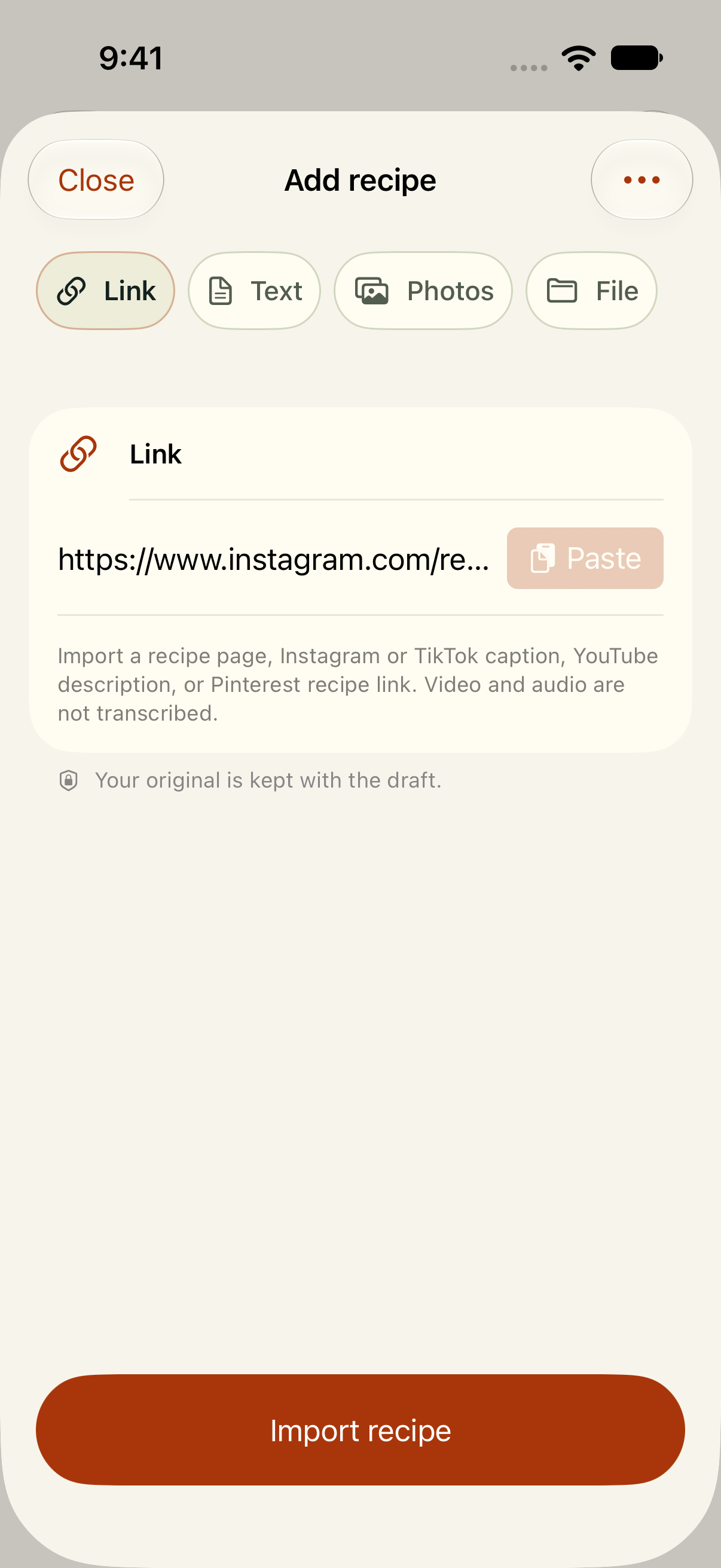
A link is the starting point. The recipe still needs written ingredients and directions; review the draft against the source before saving. Video and audio are not transcribed.
Example link shown in Orzella.When the caption is only half a recipe
Plenty of short captions list ingredients but skip the method, or say “a splash” where you would like a number. That is fine. Save what is there, then edit the recipe and add what you learned from watching, clearly in your own words. If a creator links to a fuller recipe on their website, import that page instead. It will usually give you a recipe you can actually cook from.
Make the save worth keeping
Once a recipe is in Orzella, it stops being one bookmark among hundreds. Put the TikTok noodles and the YouTube short ribs into a weeknight or weekend collection, star the ones you mean to cook first and add a note like “use less chilli for the kids.” When it is time to cook, the cooking view keeps the method in front of you, with ingredients close at hand and named timers for the jobs you’re tracking.
From scrolling to supper
The best saved recipe is the one you can find again on a Tuesday night. Bring the written recipe in from wherever you found it, check it once and make it yours with a note.
Saving new recipes requires paid access. Recipes you've already saved stay available on this device.